


Stop Guessing Hyundai/Kia Proximity Fob Part Numbers — Your VVDI Key Tool Knows the Answer
May 27th 2026
Stop guessing. Your VVDI Key Tool already knows the answer — here's how to pull the exact OEM fob part number in under a minute.
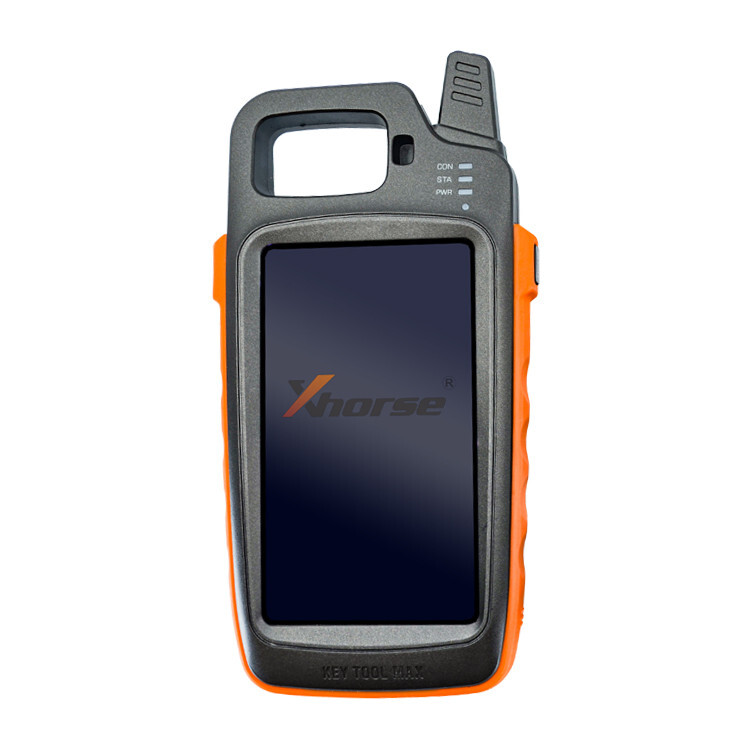
If you've been doing Hyundai and Kia proximity fob work for any length of time, you already know the frustration: so many of these fobs look nearly identical on the outside. Same shape, same buttons, different insides. Grab the wrong one and it won't program — and now you're eating the cost of a return, making a second trip, or worse, explaining to a customer why the job isn't done.
The good news is that your VVDI Key Tool already has a built-in feature to solve this problem exactly. Most locksmiths either don't know it exists or have never needed to dig for it — but once you know where to look, you'll use it on every single Hyundai and Kia proximity fob job from here on out.
Why Hyundai and Kia Fob Identification Is So Difficult
Hyundai and Kia are notorious for producing proximity fobs that look virtually identical across model years and trim levels but contain completely different hardware configurations on the inside. A fob designed for a 2019 Sonata and one designed for a 2021 Sonata can look like the same part. A Kia Sorento fob and a Kia Telluride fob from the same year can share the same housing but differ significantly in their internal electronics and the programming protocol required.
These differences come down to variations in:
- The vehicle's smart key system type — different generations use different protocols
- Trim level — base, mid, and premium trims sometimes use entirely different key systems
- Market region — U.S.-spec vehicles sometimes differ from Canadian or international variants of the same model
- Model year transitions — Hyundai and Kia don't always align part changes with clean model year breaks
Because of this, visual identification alone is not a reliable method for choosing a replacement fob. You need a confirmed part number before you order anything or commit to a job.
The VVDI Key Tool Method: Pull the OEM Part Number in Seconds
If your customer still has at least one working proximity fob, this is the fastest and most reliable way to get a confirmed part number. Here's the exact process:
Step 1 — Open Transponder Clone
On your VVDI Key Tool — whether that's the Key Tool MAX, the Key Tool MAX Pro, or the Key Tool Plus — navigate to the Transponder Clone function from the main menu.
Step 2 — Read the Original Fob
Place the original working fob on the reader coil and tap Read Transponder. The tool will communicate with the transponder chip inside the fob and pull its data.
Step 3 — Tap the "More" Button
Once the read completes successfully, you'll see a More button on the results screen. This is the step most people skip — and it's exactly where the part number data lives.
Step 4 — Read the Last 5 Digits
After tapping More, the VVDI Key Tool will display the last 5 digits of the OEM part number for that specific fob. Those five digits are enough to uniquely identify the correct replacement part and cross-reference it against your inventory or distributor catalog.
That's four steps and less than a minute of work. Compared to guessing by sight or relying on year/make/model lookups that don't account for trim and system variations, this is a completely different level of accuracy.
No Working Fob? Here's What to Do Instead
Not every job comes with a working original. All-keys-lost situations are common on Hyundai and Kia vehicles, and sometimes a customer comes to you because their only fob was lost, stolen, or destroyed. In those cases, you can't use the VVDI read method — but you're still not without options.
Call the dealer's parts counter and give them the VIN.
Any Hyundai or Kia dealer can look up parts by VIN, and the parts department can pull the exact OEM fob part number for that specific vehicle in a couple of minutes. This isn't a workaround — it's a direct line to the same information the manufacturer uses.
When you call, ask specifically for the smart key or proximity fob part number tied to that VIN. Sometimes you need to be specific about what you're after — make clear you want the fob, not just the key insert.
Getting that part number while you're still at the shop — before you drive to the job — turns a potential second trip into a one-visit close.
Using the Part Number to Cross-Reference the Right Replacement
Once you have either the 5-digit suffix from the VVDI read or the full OEM part number from the dealer, you have everything you need to confirm the right replacement. Key Innovations carries a broad catalog of Hyundai proximity fobs and Kia proximity fobs — available in both new OEM and refurbished Grade A options — all indexed by OEM part number.
Whether you're calling your rep or searching the portal, the part number is the authoritative identifier — not the year, not the model, not the button count, not the FCC ID alone.
The last 5 digits from the VVDI display are typically the most variable and identifying portion of the Hyundai/Kia OEM part number. Paired with the make and model, that's a clean match in most catalogs.
If you're ever uncertain about how to cross-reference those digits to the right replacement, the Key Innovations tech support team can walk you through it — that's exactly what they're there for.
Make This Part of Your Standard Hyundai/Kia Workflow
The best time to build this habit is now, before you're in the field with the wrong fob on a tight schedule. Here's what a clean Hyundai/Kia proximity fob workflow looks like with this step built in:
At the shop, before you leave:
- If a working fob is available: run it through the VVDI Transponder Clone → Read Transponder → More, and note the last 5 digits
- Cross-reference against your Key Innovations inventory or place your order
- If it's all keys lost: call the dealer's parts department with the VIN and confirm the fob part number
- Arrive on-site with the confirmed correct part
On the job:
- If you haven't read the fob yet and the customer has one on hand, do it before you start programming — it takes under a minute
- Confirm your replacement matches before opening the package
This two-minute step at the beginning of the job is worth far more than the time it takes. A callback, a return trip, or a wrong-part situation costs you time, money, and credibility with the customer.
Which VVDI Key Tool Do You Need?
Not sure which device is right for your workflow? Key Innovations carries the full Xhorse VVDI lineup:
- VVDI Key Tool MAX — The original Android-based remote generator, ideal for locksmiths who want a dedicated standalone tool for remote and transponder work.
- VVDI Key Tool MAX Pro — Combines the Key Tool MAX and Mini OBD module into one unit, adding full IMMO programming capability and CANFD support for newer vehicles.
- VVDI Key Tool Plus — The all-in-one professional solution that consolidates the functions of VVDI2, VVDI MB, Key Tool MAX, VVDI BIM, and VVDI PROG into a single device.
All three support the Transponder Clone → Read Transponder → More workflow described in this guide.
Quick Reference Summary
| Situation | Method | What You Get |
| Have a working original fob | VVDI Key Tool → Transponder Clone → Read Transponder → More | Last 5 digits of OEM part number |
| All keys lost / no fob available | Call the dealer's parts department with the VIN | Full OEM part number |
| Need to match replacement | Cross-reference on keyinnovations.com | Confirmed correct replacement fob |
Compatible Tools: VVDI Key Tool MAX · Key Tool MAX Pro · Key Tool Plus
Applicable Vehicles: Hyundai and Kia proximity fob-equipped vehicles
The Bottom Line
Hyundai and Kia fob work doesn't have to be a guessing game. You already have the hardware in your bag to pull a confirmed OEM part number off any working fob in under a minute. When there's no fob to read, the dealer's parts counter is one call away. Either path gets you to a confirmed part number before you commit to the job.
Build the habit now — read the fob or call the dealer, every time, before you order a replacement. The callbacks you avoid will pay for the time investment many times over.
Not sure how to cross-reference those digits to the right replacement fob? Contact our tech support team and we'll help you match it up.